Aircraft Fleet
The Aircraft page is the main landing page after login. It shows all aircraft you have access to as a grid of cards.
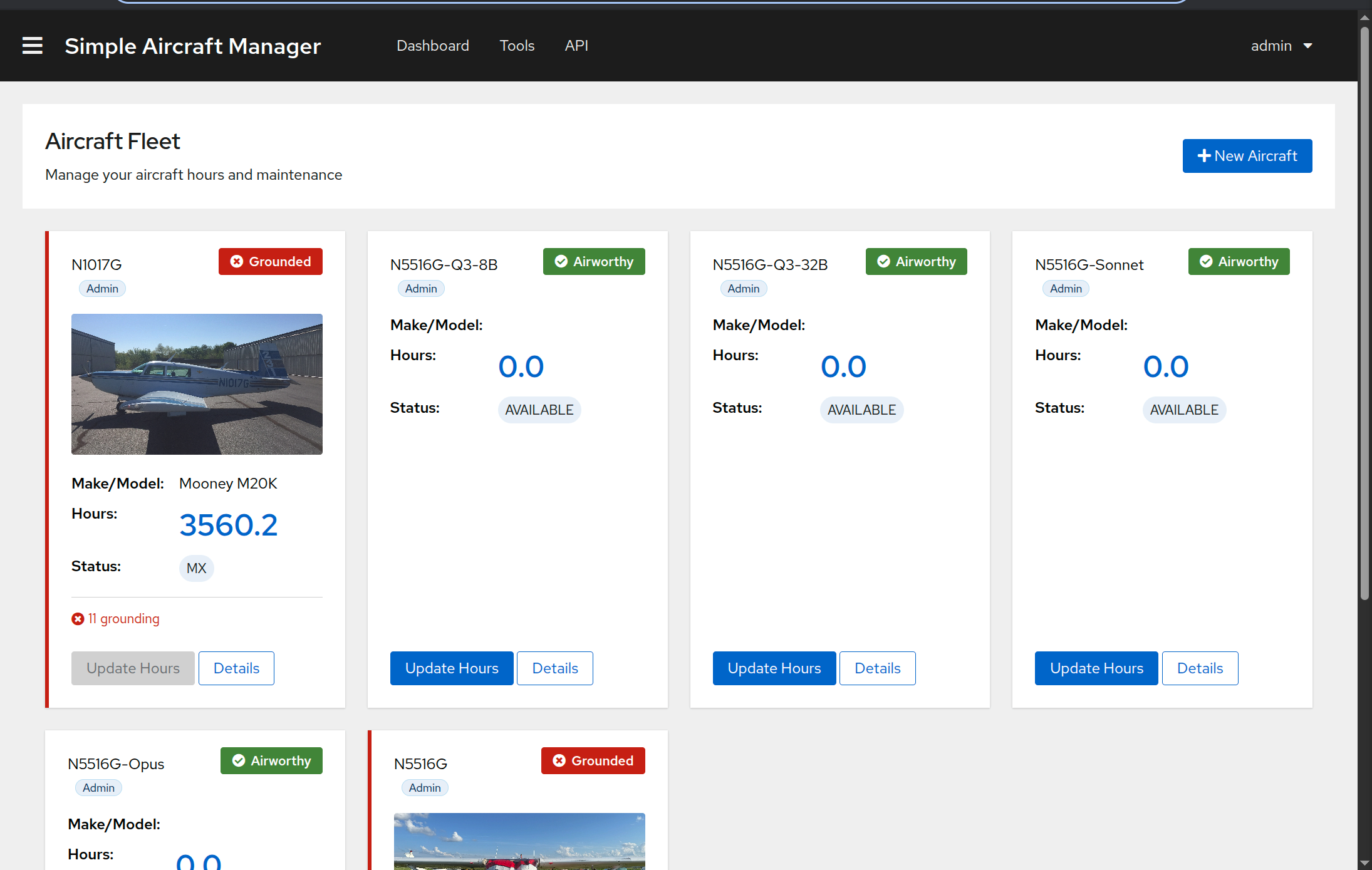
Aircraft Cards
Each card displays:
Tail number and your role badge (Owner, Pilot, or Admin).
Airworthiness status badge – a color-coded indicator in the top right:
Green (check icon) – All checks pass. Aircraft is airworthy.
Orange (warning icon) – One or more items are coming due soon.
Red (X icon) – One or more grounding issues exist.
Aircraft photo (if uploaded).
Make/Model and current flight hours.
Issue summary – counts of grounding and upcoming issues, if any.
Card Actions
Each card has two buttons at the bottom:
Update Hours – Opens a modal to log new tach time (and optionally Hobbs time). This button is disabled when the aircraft has a red (grounding) airworthiness status to prevent logging hours on a grounded aircraft.
Details – Navigates to the aircraft detail page.
Adding a New Aircraft
Click the New Aircraft button in the top right corner of the Aircraft page. See Getting Started for details on the fields.