Logbook
The Logbook sub-tab (under the Maintenance tab) is a chronological record of maintenance performed on the aircraft, including inspections, parts replaced, and mechanic signoffs.
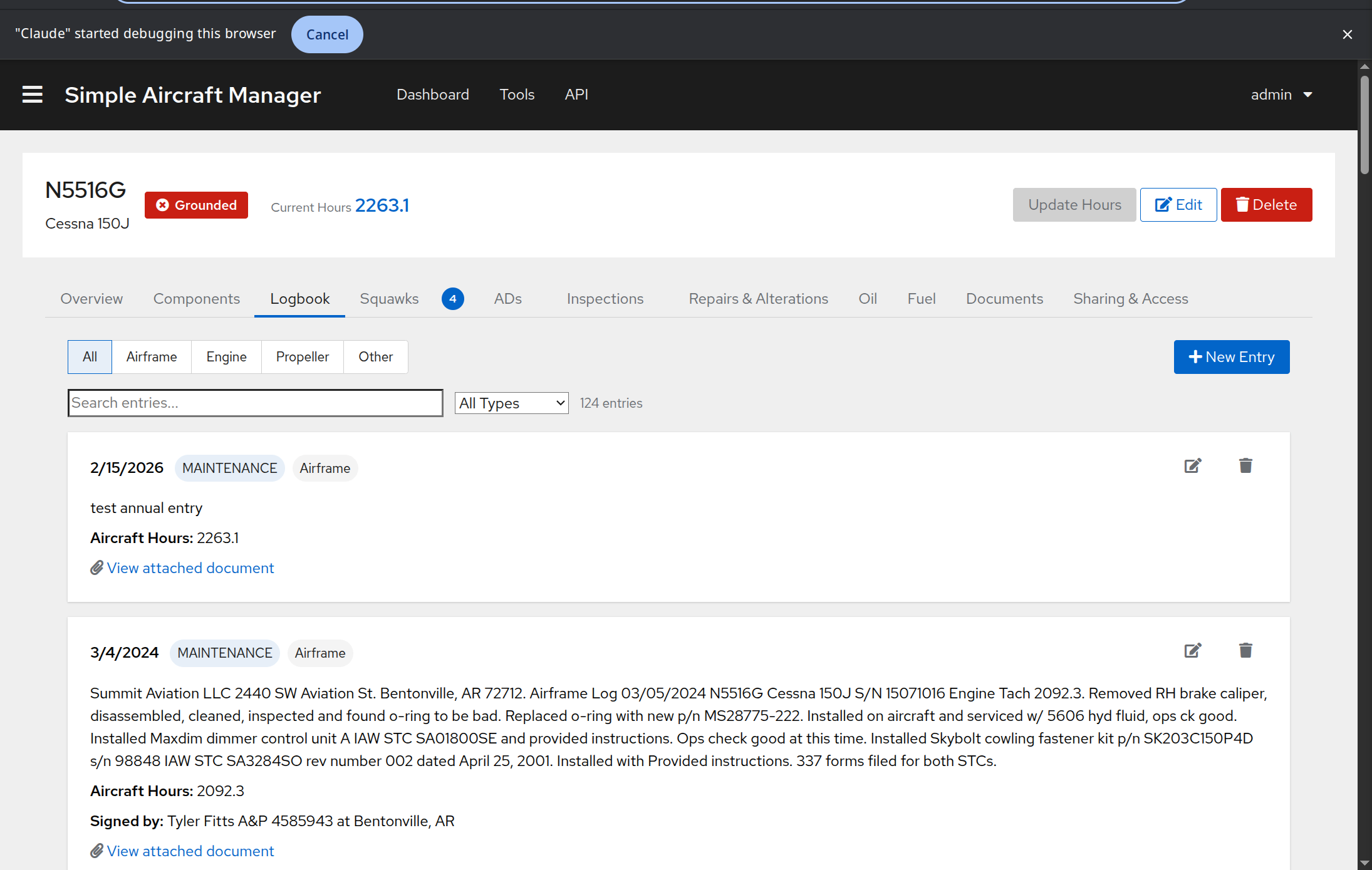
Logbook entries document maintenance events – they are not per-flight records.
The Maintenance tab is visible to all authenticated users (owners, pilots, and admins) and to visitors using a maintenance share link. It is hidden from visitors using a status-only share link.
Sub-Tabs
The logbook is organized into sub-tabs that filter entries by log type:
All – Shows all entries regardless of type.
AC (Airframe) – Airframe maintenance entries.
ENG (Engine) – Engine-related maintenance.
PROP (Propeller) – Propeller maintenance.
OTHER – Entries that don’t fit the above categories.
Searching and Filtering
Use the search bar to find entries by text content. You can also filter by entry type using the dropdown:
Maintenance
Inspection
Flight
Hours Update
Other
The total entry count updates as you filter.
Creating an Entry
Click New Entry on the Logbook tab (owners only).
Fill in:
Date – The date the maintenance was performed.
Text – A description of the work performed.
Log Type – Select AC, ENG, PROP, or OTHER.
Entry Type – Select Maintenance, Inspection, Flight, Hours Update, or Other.
Aircraft Hours at Entry – The aircraft’s total hours at the time of the entry.
Signoff Person – The mechanic or IA who signed off the work.
Signoff Location – Where the work was performed.
File Attachment – Optionally attach a scanned copy of the logbook page.
Related Documents – Link to existing documents in the Documents system.
Click Save.
Viewing Entry Details
Each logbook entry is displayed as a card showing:
Date and entry type/log type labels.
Description of the work performed.
Aircraft hours at the time of the entry.
Mechanic signoff information.
Attached document link (if any) – click to view the scanned page.
Related documents links – click to view linked documents.
Linking an Entry to a Record
If a logbook entry documents work that corresponds to an AD compliance, an inspection, or a major repair/alteration, you can link them together so that the maintenance record cross-references the logbook entry.
From the logbook card (owners only):
Click the link icon on a logbook entry card.
A modal opens showing unlinked records grouped into three tabs:
Inspections – Inspection records with no logbook entry linked yet.
AD Compliance – The most recent AD compliance record per AD that has no logbook entry linked yet.
Major Records – Major repairs and alterations with no logbook entry linked yet.
Click Link next to the record you want to associate. The record is immediately updated and the tab count reflects the change.
Note
Only the latest compliance record per bulletin appears in the AD Compliance tab. To link a logbook entry to an older compliance record, edit that record directly from the ADs / Bulletins tab compliance history.
Loading More Entries
Logbook entries load in pages. If there are more entries available, a Load more button appears at the bottom of the list.
AI-Assisted Import
For digitizing physical logbooks, see Logbook Import.